- 1SYNTH / DRUM
- 2orange
3.1.1 fit to bars introduction
type: stretch a sample to 1, 2, 4 or 8 bars · by maiko
Fits the part of the sample you use to a whole number of bars at the OP-1's tempo, so a loop or a phrase lands on the beat. Press orange for the FIT panel, choose 1, 2, 4 or 8 bars and how to stretch, and press orange again.
KEEP PITCH stretches the time and keeps the pitch. TAPE changes the speed like a tape machine, so the pitch moves with it.
These work on TE's sampler screens only: a synth sampler sound (SYNTH) and a drum sampler kit (DRUM). Other engines' screens are unchanged.
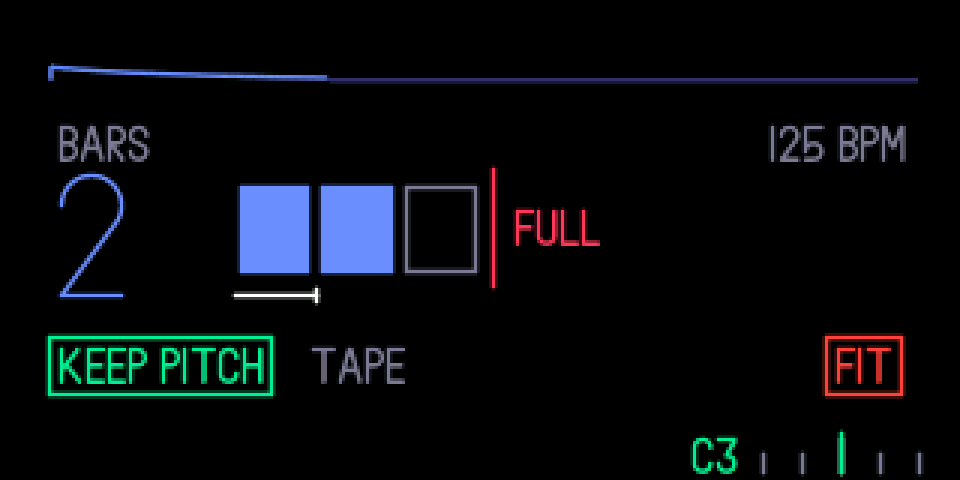
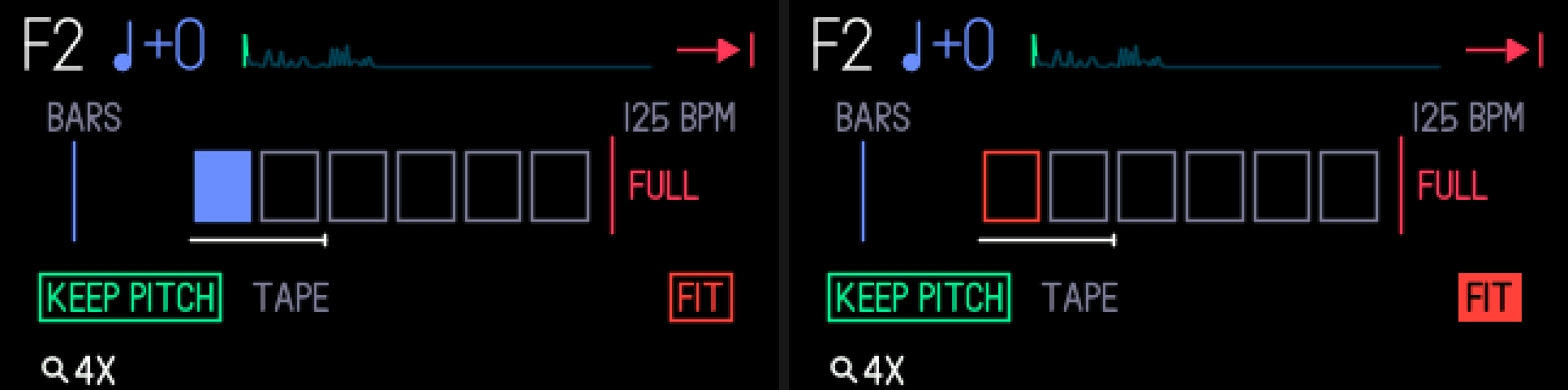
3.1.2 opening fit to bars
step 1
SYNTH / DRUM
step 2
orange
SYNTH with a sampler sound, or DRUM with a sampler kit. Press orange.
3.1.3 knobs
turn (panel open)
blue
bars: 1, 2, 4 or 8
green
keep pitch or tape
white
—
orange
—
press (panel open)
blue
—
green
—
white
—
orange
fit
3.1.4 tips
- The part you use is what gets fitted: start to end on a synth; on a drum kit, from the earliest start to the latest end of its keys. Audio outside it is dropped, and each drum key's start and end move with the audio.
- The tempo is the OP-1's, shown top right. The panel marks where the slot is full; longer choices aren't offered.
- Any other key closes the panel and does what it normally does.
- Refused while the slot is sampling, while the tape records, and for parts shorter than about 0.05 s.
- It takes a second or two: the panel's cells fill as it works, and keys and knobs wait until it's done.
- A fit changes the sound in the slot, not the one saved in the sound browser, and tape undo doesn't cover it. SHIFT + SYNTH (SHIFT + DRUM) reloads the saved sound; save a snapshot to keep the fitted one.
- On drums, KEEP PITCH can soften sharp hits a little when the length changes a lot.