- 1T4
- 2SHIFT + white
6.2.1 tilt sensitivity introduction
type: how strongly the element lfo follows tilt · by maiko
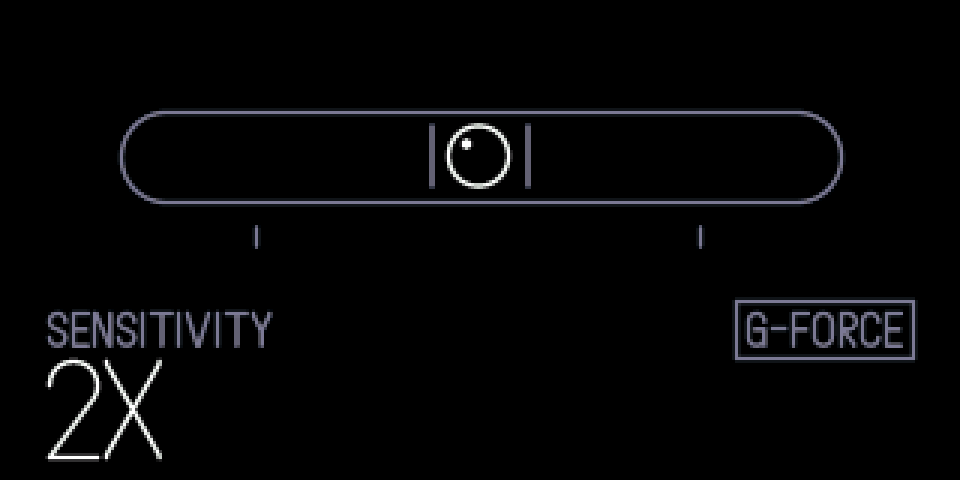
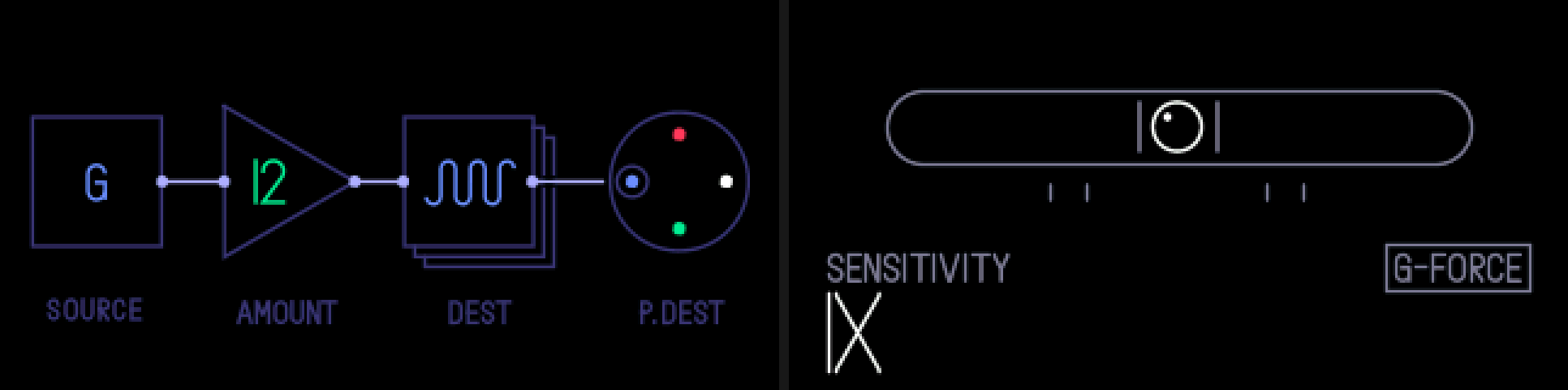
TE's ELEMENT LFO can follow tilt (source G), but on the stock OP-1 even tipping it on its side only gets halfway. This sets how strongly it reacts: at 2x a 90° tilt is the full range, at 4x about 30° is.
Hold SHIFT on the element screen and a spirit level shows. Its bubble follows the tilt as the LFO sees it, and the ticks mark where 45° and 90° of tilt put the bubble at this sensitivity.
6.2.2 opening tilt sensitivity
step 1
T4
+
step 2
SHIFT + white
SYNTH or DRUM, T4 with the ELEMENT LFO on it (SHIFT + T4, blue to ELEMENT). Hold SHIFT and turn white.
6.2.3 knobs
turn (shift held)
+
blue
—
+
green
—
+
white
sensitivity: 1x, 1.5x, 2x, 3x, 4x
+
orange
—
6.2.4 tips
- 1x is the stock OP-1.
- One setting for every sound. It stays after power off.
- Release SHIFT for the element screen. The other knobs do nothing while the panel is up.
- The panel waits a moment before it shows, so SHIFT + T4 for the LFO list doesn't flash it.