- 1SHIFT + COM
- 2blue
8.2.1 flash check introduction
type: how healthy the op-1's flash is · by maiko
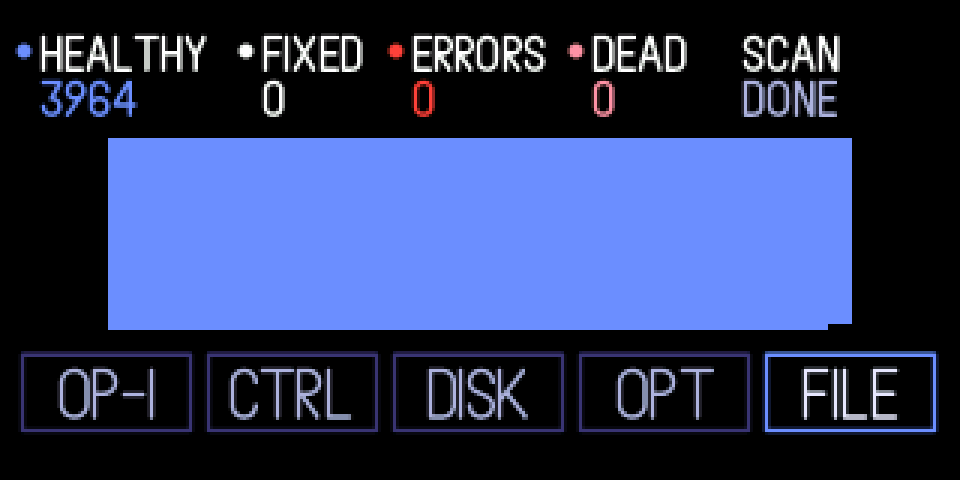
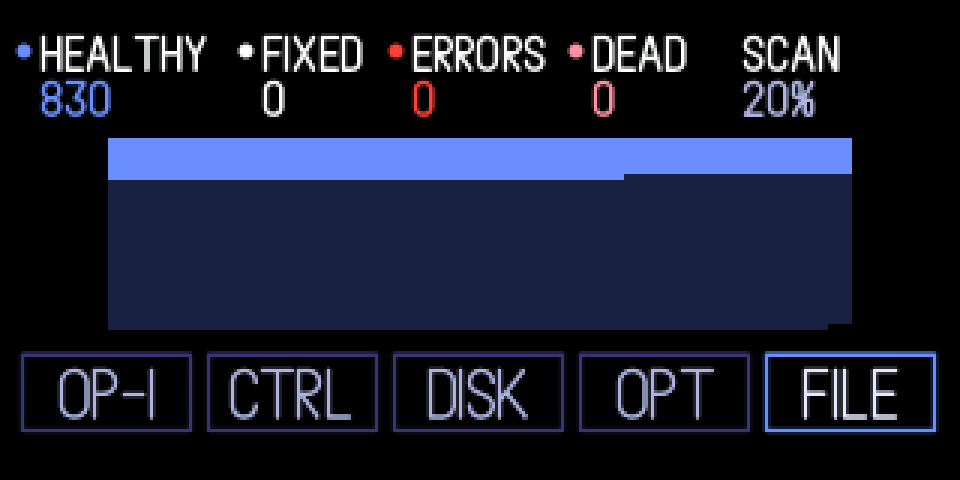
Reads every block of the OP-1's flash and shows how healthy it is: a map with one dot per block, and counts of HEALTHY, FIXED, ERRORS and DEAD blocks. It only reads: nothing is written, moved or marked.
#250 fixes a bug in TE's firmware that marked good flash blocks as bad. While the tape was saving, the file system checked what it had just written against a buffer the tape was still filling, saw a difference and retired a perfectly good block. Over months that ate storage. From #250 on, the bug won't eat storage again.
8.2.2 opening flash check
step 1
SHIFT + COM
step 2
blue
SHIFT + COM, turn blue to FILE and press blue. Stop the tape and stay on the screen until SCAN says DONE.
8.2.3 knobs
turn
blue
to FILE
green
—
white
—
orange
—
press
blue
on FILE: start the check; when it's done, check again
green
—
white
—
orange
—
8.2.4 the counts, and getting bad blocks back
healthy: every page read back clean. fixed: small errors the flash's error correction fixed; a few are normal. errors: errors it couldn't fix. dead: blocks the file system has retired as bad. The map has one dot per block in the same colours, dark blue until it's read.
Blocks already marked bad keep taking storage (dead here, bad on the FILE screen) until the drive is formatted: #250 stops new ones but can't unmark old ones.
To reclaim them: 1. install #250 first. 2. In disk mode, back up your tape and sounds to your computer. 3. Hold COM while switching the OP-1 on and pick 8. Format drive in the boot menu. 4. Install #250 again from the same menu (1. Upload firmware), which puts the factory sounds back. 5. Copy your files back in disk mode.
Formatting erases everything on the OP-1: tapes, sounds, snapshots and settings. After that the bug won't eat storage again.
8.2.5 tips
- It takes a minute or two. It only reads with the tape stopped, on this screen and out of disk mode; otherwise it shows PAUSED and waits.
- Install #250 before you format: on older firmware the bug would start marking good blocks as bad again.